






The style of wedding invitations has changed from traditional cards. Modern couples prefer digital wedding invitations that are personal, emotional, and memorable. Couples are choosing digital wedding invitations that include animations or are shareable on social media.
The aim is to create something that reflects the romance of the occasion. One style that has come into the design world is the use of AI kissing images that reflect love stories in a modern and artistic way.
The romantic images created by AI can be used in digital wedding invitations. Designers are no longer limited to traditional images that do not reflect the couple or the wedding. Designers can create unique images that reflect the couple’s personality or the style of the wedding. Dreamina is a tool that helps designers create unique images using simple requests. In this guide, we will explore the different ways a wedding invitation designer can be creative in using romantic AI images for digital wedding invitations without losing their elegance or creativity.
1. Romantic cover scenes for digital invitations
The first image that a digital wedding invitation presents is the cover scene. Designers can be creative by creating a romantic scene for the digital invitation. For example, a sunset garden scene with a couple sharing a special moment under the lights and flowers. This scene immediately portrays a sense of celebration and festivity.
The above romantic scenes for the cover of the invitation can be utilized as:
- Animated opening scenes for the animated invitation
- Headers for the email invitation
- Banners for the landing page of the wedding website
- Video opening scenes for the video invitation
A visually emotional opening scene will immediately capture the attention of the guests and create excitement for the upcoming event.
2. Personalized love story visuals
Couples usually love to tell their love story: how they first met each other, how their relationship developed, and how the proposal happened. The designer can create these scenes to illustrate the couple’s love story. For example:
The designer can create a total of three scenes with different themes:
- The first meeting scene in a cozy café
- The romantic scene from their relationship while traveling
- The engagement scene
- The scenes can be designed as a timeline inside the invitation.
These scenes can be arranged in a timeline format inside the digital invitation, which guests can explore in a creative way.
3. Character-style illustrations of the couple
Not all couples prefer photo images. Some couples prefer something a bit more creative or artistic that still captures the essence of the couple. Designers can create a character-style image that creatively resembles the couple.
Many designers have experimented with different tools that are somewhat like Dreamina’s AI avatar generator. The created avatars can be used throughout the invitation design, on the cover page, or on the RSVP or thank-you pages.
The character-style image helps in creating a unique invitation design, especially for digital invitations that are shared online.
4. Scene-style RSVP cards
The digital RSVP card does not have to be a simple text box. Designers can include a romantic scene that creates a visually appealing section for the response box.
The RSVP section can be:
- A candlelight dinner scene
- A moonlit beach scene
- A floral garden scene
Once the couple has reached the RSVP section, they get to interact with a romantic scene that fits the wedding theme.
These visual elements help in creating a story or a scene that goes along with the invitation.
5. Wedding branding elements
For larger weddings, it is not uncommon for a full visual theme to be created that is carried through on invitations, websites, and even social media announcements.
A visual theme can be created using various tools, including an AI logo generator that helps create a monogram or other visual symbol featuring the initials of the two people getting married. This symbol can be used alongside other romantic imagery in the creation of the overall invitation design.
When paired with other scene visual imagery, these branding elements can create a very polished overall look for the wedding.
Creating dreamy wedding invitation scenes with Dreamina
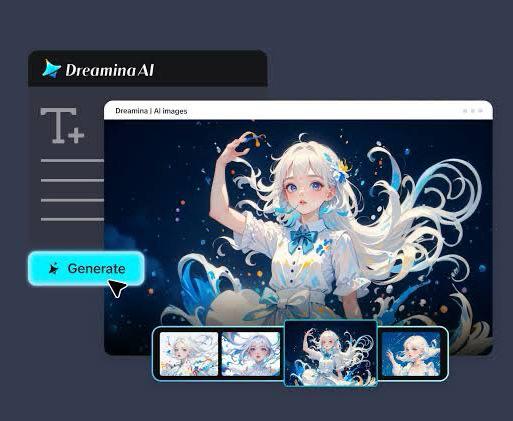
Having looked at some of the creative ideas that can be implemented, the next step is bringing these ideas into visual reality. This is where Dreamina comes in, allowing users to create romantic scenes through text input.
Here is a step-by-step guide on how this can be done:
Step 1: Write a text prompt
To start, go to Dreamina and click on its creation interface. Here, instead of choosing existing images, you will write a detailed description of your romantic scene. You can write about the couple, their clothing, their surroundings, and the mood that will best fit a wedding theme.
For example, you may write a prompt like this: Create a romantic wedding scene with a bride and groom in a beautifully decorated garden during sunset. The bride is wearing an elegant white wedding dress with lace trim and is holding a bouquet of roses. The groom, on the other hand, is wearing a classic black tuxedo with a boutonniere. The couple shares a romantic moment under fairy lights with flowers surrounding them. The mood is dreamy, warm, and perfect for a digital wedding invitation.
Writing a detailed prompt will ensure that the images generated by Dreamina are as elegant and romantic as those in wedding invitations.
Step 2: Set parameters and generate
Once you have created your prompt, you can set your parameters to create your desired outcome. You can choose the model that is best suited for your image creation. You can also choose the perfect aspect ratio for your digital invitation. You can choose the perfect size for your image, and the resolution is either 1K or 2K. Once your parameters are set, you can click the icon for Dreamina to create your desired image. Dreamina can create romantic images that fit the scene in your prompt in no time.
Step 3: Customize and save
To create a perfect image for your digital invitation, you can customize your image using Dreamina’s AI technology. You can use inpaint to customize your image. You can use expand to customize your background if your invitation design requires more space. You can use remove to customize your background. You can use retouch to customize your background. Once your customization is complete, you can use the download icon to save your image and create your perfect digital invitation.
Designing digital invitations that feel personal and modern
The design of a wedding invitation should make it feel special and memorable. The invitation should also reflect the story of the couple. The designer can use various ideas and AI-created images to make the invitation unique and different in a digital world. The invitation can be designed in such a way that it includes:
- A romantic scene images that set the theme for the wedding
- A personalized illustrations that show the characters of the couple
- A storytelling section that represents the story of the couple’s relationship
- An elegant branding that can be used throughout the invitation design
The invitation can be a unique storytelling experience for the recipient.
Final thoughts: create romantic invitation visuals with Dreamina
As technology advances, digital wedding invitations are becoming more and more creative and expressive. Any designer who is willing to explore new technology and artistic styles can create a wedding invitation that is very personal and emotional.
Dreamina makes this process very easy by allowing designers to create beautiful romantic images from descriptions. With scene creation and customization, wedding invitation designers can create a digital invitation that celebrates the story of the couple’s romance.
Using storytelling techniques, design creativity, and AI technology for images, wedding invitation designers can create digital wedding invitations that will leave a lasting impression on the guests before the actual wedding day.